Motion design for LinkedIn: reaching your B2B audience

LinkedIn is different. Your video must be too
On Instagram, video can be entertainment.
On LinkedIn, it has to be a professional conversation.
Motion design on LinkedIn isn’t about impressive effects. It’s about communicating value quickly to busy decision-makers.
What a LinkedIn video that works looks like
Length: 30–60 seconds, max.
Script: Problem → Solution → Benefit. Done.
Visual: Professional but human. Not robotic.
Audio: Clear narration. No cheesy electronic music.
CTA: Direct. “See the case”, “Download the guide”, “Book a call.”
5 video types that work on LinkedIn
1. Case study: “How [client] increased sales 40% in 30 days” 2. Education: “3 mistakes your campaign is making” 3. Trend explainer: “Why vertical video has reached B2B” 4. Founder story: You talking about your creative process 5. Results: Client testimonial video
The structure that works
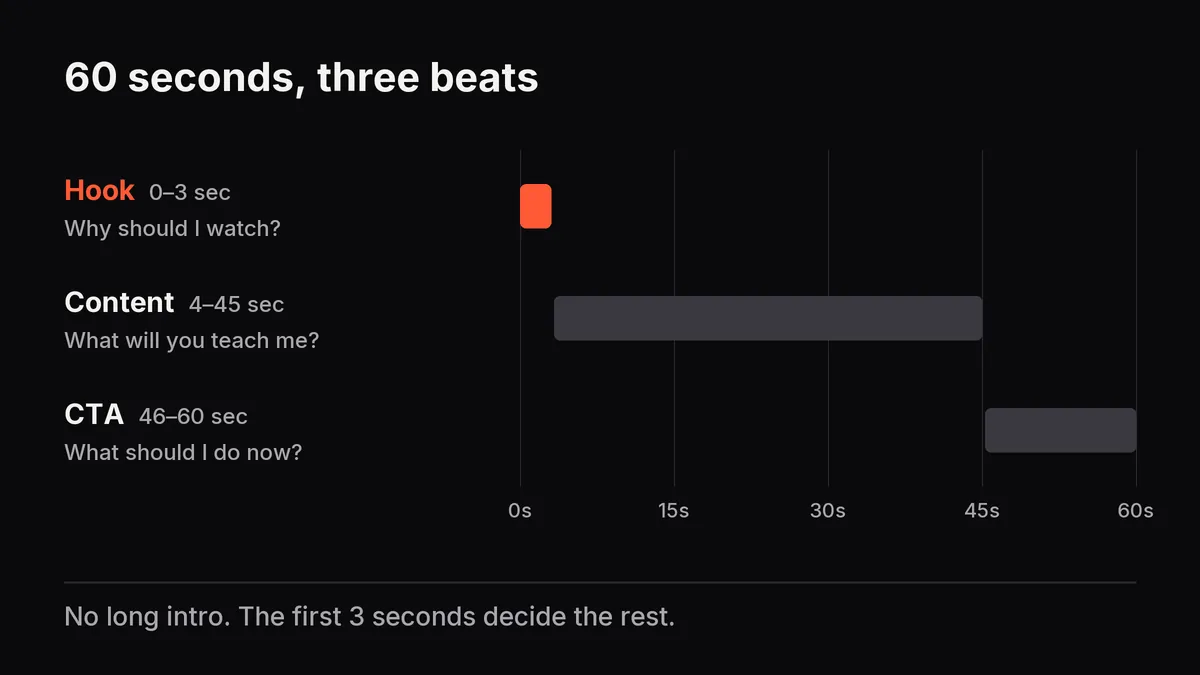
0-3 sec: Hook. Why should I watch? 4-45 sec: Content. What will you teach me? 46-60 sec: CTA. What should I do now?
No fluff. No long intro. Direct.
Technical requirements
- Sync with text (not everyone has sound on)
- Big text (readable on a phone)
- High-contrast colors (they stand out in the feed)
- Always add captions
A video with 500 views and 80% watching to the end beats one with 5,000 views and only 20% finishing.
Which type of LinkedIn content works best for your audience? If you’d like to turn it into video, get a quote.